

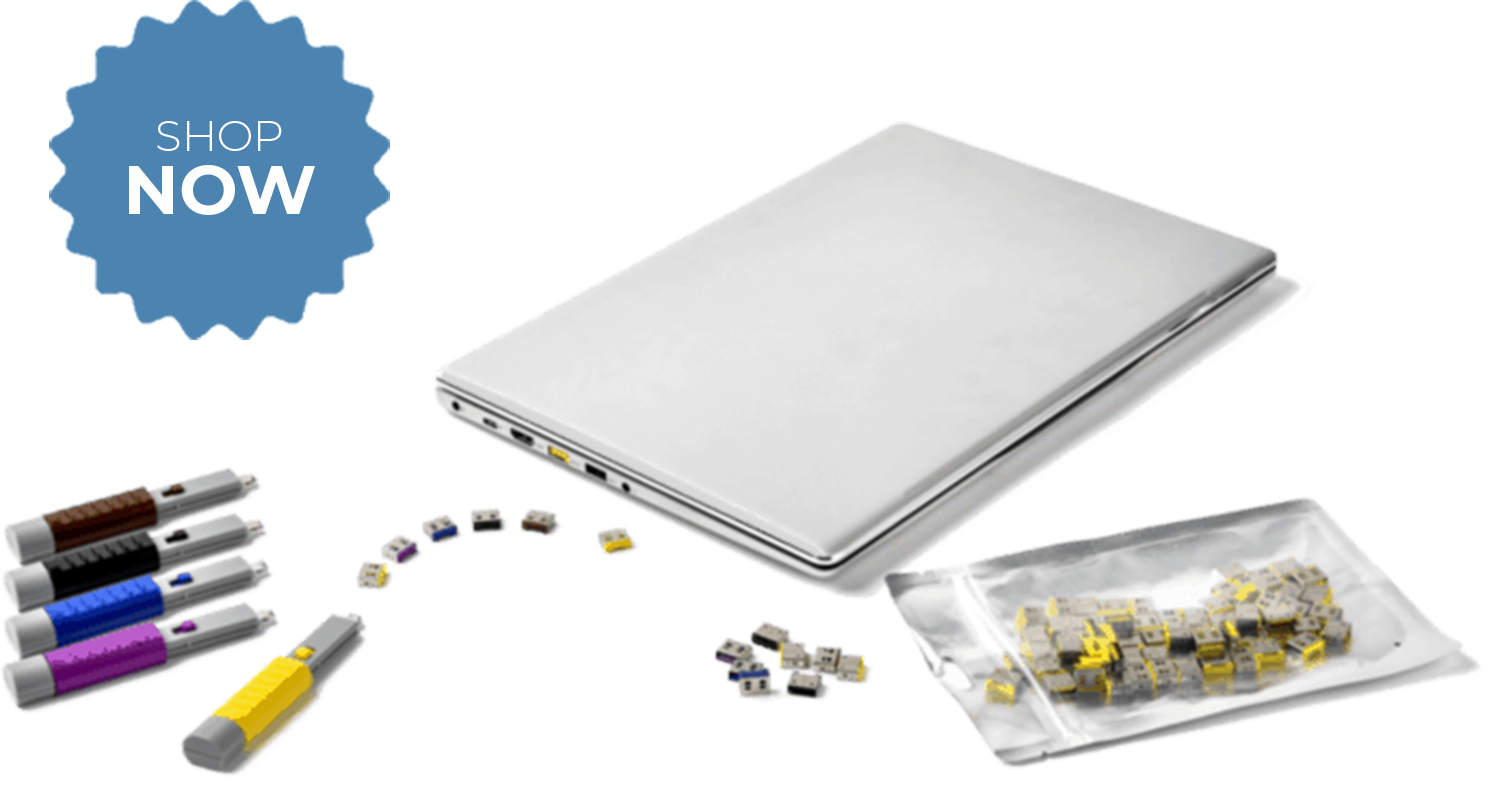
Cyberattacks have increased exponentially in the wake of the COVID-19 pandemic. No one is immune and no one is safe, which is why every company should conduct an on-site cybersecurity risk assessment. The Connectivity Center has partnered with several exceptional cybersecurity firms that specialize in cybersecurity risk assessments. Based on your specific needs, we can connect you to the firm that is your best fit.
Cyberattacks have increased exponentially in the wake of the COVID-19 pandemic. No one is immune and no one is safe, which is why every company should conduct an on-site cybersecurity risk assessment. The Connectivity Center has partnered with several exceptional cybersecurity firms that specialize in cybersecurity risk assessments. Based on your specific needs, we can connect you to the firm that is your best fit.
“The Smart Keeper USB port blockers have worked nicely to help secure computers used in our production facility.”
– Scott Adamy, Manufacturing Engineer

Trending Security Products
The top cyber-defense products in our store





More of What You’re Looking For
Check out our most popular categories based on our customers’ needs


Best Sellers
Our best-selling products are a great place to begin browsing our site. From rugged USB cables to the latest HDBaseT HDMI switches, these high-quality products exemplify the pride we take in our merchandise and what our loyal customers love about us. You’ll discover a vast array of products, including computer cables and KVM switches, AV equipment and networking products, and even system components and computer security products. We appreciate your business.


Thought Leadership
Read our recent blog posts for the latest in cybersecurity trends

Choosing the Best Port Locks to Secure Corporate Network Infrastructure
A company can spend thousands securing its network firewalls, encryption, advanced monitoring, and everything in place. And yet, all it takes is one open port. A USB is plugged in. An Ethernet cable is connected where it shouldn’t be. No alarms. No complex breach. Just a quiet entry point, sitting in plain sight. This is the gap most organizations overlook. While digital defenses keep evolving, physical access to network ports remains one of the simplest and most dangerous ways in. And that’s exactly where port locks come in. What Are Port Locks & Why Do They Matter? Port locks are small, physical security devices designed to block access to unused or unauthorized ports such as USB, Ethernet (RJ45), or fiber ports on computers and network equipment. Once installed, they can only be removed using a specific key or tool, ensuring controlled access. They matter because open ports are easy entry points for security breaches. Anyone with physical access can connect a device, extract sensitive data, introduce malware, or gain unauthorized network access, often without triggering any alerts. In environments like offices, data centers, or shared workspaces, where multiple people interact with systems, port locks act as a simple yet powerful first line of defense. They help organizations move beyond just software-based protection and secure their infrastructure at the hardware level. Understanding the Risk: Why Open Ports Are Dangerous At first glance, an unused port may seem harmless. But in reality, every open port is a potential entry point into your network. Unlike sophisticated cyberattacks, exploiting a physical port doesn’t require advanced skills, just access. Whether it’s a USB slot on a workstation or an Ethernet port in a meeting room, these small openings can quietly bypass even the strongest digital defenses. Best Port Locks to Secure Corporate Network Infrastructure Key Factors to Consider When Choosing Port Locks- Not all port locks are created equal. Choosing the right one isn’t just about blocking a port it’s about ensuring long-term security, ease of management, and compatibility with your existing infrastructure. Here are the key factors organizations should evaluate: Security Level Look for tamper-resistant designs that cannot be removed without a dedicated key Prefer unique key systems to prevent unauthorized unlocking Ensure the lock fits tightly, leaving no room for manipulation Compatibility Must align with your existing ports (RJ45, USB-A, USB-C, fiber, etc.) Check for universal vs port-specific locks depending on your needs Ensure compatibility across different devices and brands Ease of Installation & Use Should be quick to install without tools or downtime Easy removal using a dedicated key for authorized personnel Avoid overly complex systems that slow down IT operations Key Management System Centralized key control is critical for large organizations Ability to manage access across multiple teams or locations Avoid systems where keys can be easily duplicated Durability & Build Quality Made from high-quality, industrial-grade materials Resistant to wear and tear in high-traffic environments Reliable for long-term use without frequent replacement Scalability Suitable for deployment across multiple offices,

How to Implement the Best Physical Security for Data Center Network Ports?
A global data center runs like clockwork.Multiple layers of cybersecurity are in place, including firewalls monitoring traffic, intrusion detection systems scanning for anomalies, and strict access controls governing who can log in and what they can do. On paper, everything looks secure. Then, during a routine maintenance window, a technician plugs a laptop into an unused Ethernet port just for a quick check. No alerts are triggered. No alarms go off. Within minutes, that single connection becomes a gateway. Data begins to move quietly. Systems remain unaware. Because the breach didn’t come through code. It came through an open port. This is the gap most data centers overlook. While digital defenses grow stronger, physical access points like network ports continue to remain one of the simplest and most underestimated entry points into critical infrastructure. Why Network Ports Are a Critical Security Risk? In a data center, network ports are the physical connection points that allow devices to communicate with each other and the network. These include ports on servers, switches, patch panels, and endpoints, essentially acting as gateways for data flow. While they are essential for operations, they also represent direct, hardware-level access to the network. And unlike software vulnerabilities, these access points often go unnoticed because they’re physically present and easily accessible. Types of Network Ports in Data Centers Ethernet (RJ45) Ports: The most common ports used for wired network connectivity. Found across servers, switches, and patch panels. USB Ports: Used for peripheral devices, storage, and maintenance tasks, but also a major entry point for unauthorized data transfer. Fiber Ports: High-speed connections used in core infrastructure. Though less accessible, they are equally critical if exposed. Key Security Risks Unauthorized Device Connections: Anyone with physical access can plug in a laptop or rogue device and gain network entry. Data Exfiltration: Sensitive data can be copied or transferred externally without triggering traditional security alerts. Malware Injection: USB drives or connected devices can introduce malicious software directly into the system. Insider Threats: Employees, vendors, or contractors with legitimate access can unintentionally or intentionally compromise the network. Why This Matters in Real-World Data Centers? Modern data centers are not isolated environments. They involve: Multiple teams (IT staff, vendors, auditors) Third-party maintenance personnel Shared or colocation setups With so many touchpoints, physical access cannot always be tightly controlled. And all it takes is one open, unprotected port to bypass even the most advanced cybersecurity systems. That’s why securing network ports is not just an IT concern; it’s a critical layer of overall data center security. Physical Port Security in Data Centers Key Methods to Secure Data Center Network Ports Securing data center network ports isn’t about a single tool it’s about creating a layered, controlled system where every physical access point is monitored, restricted, and intentional. Below are the most effective methods used by high-security environments: Port Blocking Devices (First Line of Defense): One of the simplest yet most effective ways to secure unused ports is by physically blocking them.

Best Physical Security Solutions for Data Center Ports: A Practical Guide
Most data center security strategies focus heavily on software: firewalls, monitoring systems, and access controls. But what happens when someone simply plugs into your network? Unsecured ports remain one of the easiest ways to bypass even the most advanced cybersecurity systems. Whether it’s an unused Ethernet port or an exposed USB interface, these small gaps can lead to major breaches. In this practical guide, we explore how physical port security solutions can close these gaps and strengthen your infrastructure from the ground up. What Are Data Center Ports & Why Are They Vulnerable? Data center ports are the physical connection points that allow devices, networks, and systems to communicate. From transferring data to enabling network access, these ports are essential to daily operations, but they can also become critical security gaps if left unprotected. Types of Ports in Data Centers- USB Ports: Commonly found on servers and workstations, USB ports are used for data transfer, peripherals, and maintenance tasks. However, they can easily be misused for unauthorized data access or malware injection. Ethernet (RJ45) Ports: These ports connect devices to the network. Unused or exposed Ethernet ports can allow unauthorized users to plug in and gain direct access to the network. Fiber Optic Ports (LC/SC): Used for high-speed data transmission, fiber ports are crucial in modern data centers. Any tampering or unauthorized access can disrupt connectivity or compromise sensitive data flows. HDMI / Display Ports: Often used for monitoring and system access, these ports can be exploited to extract visual data or connect unauthorized display devices. Why These Ports Are Easy Attack Points? Open Access in Racks: In many data centers, ports remain physically exposed—especially in shared or colocation environments, making them easily accessible to anyone with proximity. Human Error & Negligence: Unused ports are often overlooked during security audits. Simple oversights, like leaving a port open after maintenance, can create unintended entry points. Plug-and-Play Vulnerabilities: These ports are designed for convenience. Devices can be connected instantly without authentication, allowing unauthorized users to access systems without triggering immediate alerts. In simple terms: if a port is accessible, it’s a potential entry point. Best Physical Security Solutions Types of Physical Security Solutions for Data Center Ports Securing data center ports doesn’t require complex systems; it requires the right physical controls in place. These solutions are designed to block unauthorized access at the source, ensuring that no device can be connected without proper authorization. Below are the most effective types of physical security solutions used in modern data centers: USB Port Blockers: USB port blockers physically seal USB ports, preventing any external device, such as flash drives, keyboards, or unauthorized peripherals, from being connected. Installed directly into the USB port Can only be removed using a specialized key tool Available in different colors for easy identification and management Best for: Servers, admin systems, and workstations where data transfer must be strictly controlled Why it matters: USB ports are one of the easiest ways to introduce malware or extract sensitive